
Welcome to the one-hundred-ninety-seventh (197th) edition of the Windows 365 Community newsletter! This week, we bring you the latest Windows 365 news, free events, and expert tips & tricks from the world of Cloud PC.
Using 10ZiG Manager to manage zero and thin clients
In this blog post, Dominiek Verham explains how to use 10ZiG Manager to manage thin and zero clients centrally. He walks through prerequisites, installation, and role-based access control, then demonstrates different ways to update firmware—individually, in bulk via scheduled tasks, or automatically via dynamic groups. Dominiek highlights the new v6 GUI, which improves usability and integrates with Microsoft’s Windows App experience, enabling features like self-service options, Cloud Apps, and support for external identities. Overall, it shows how 10ZiG Manager simplifies device management while aligning with modern cloud desktop environments.
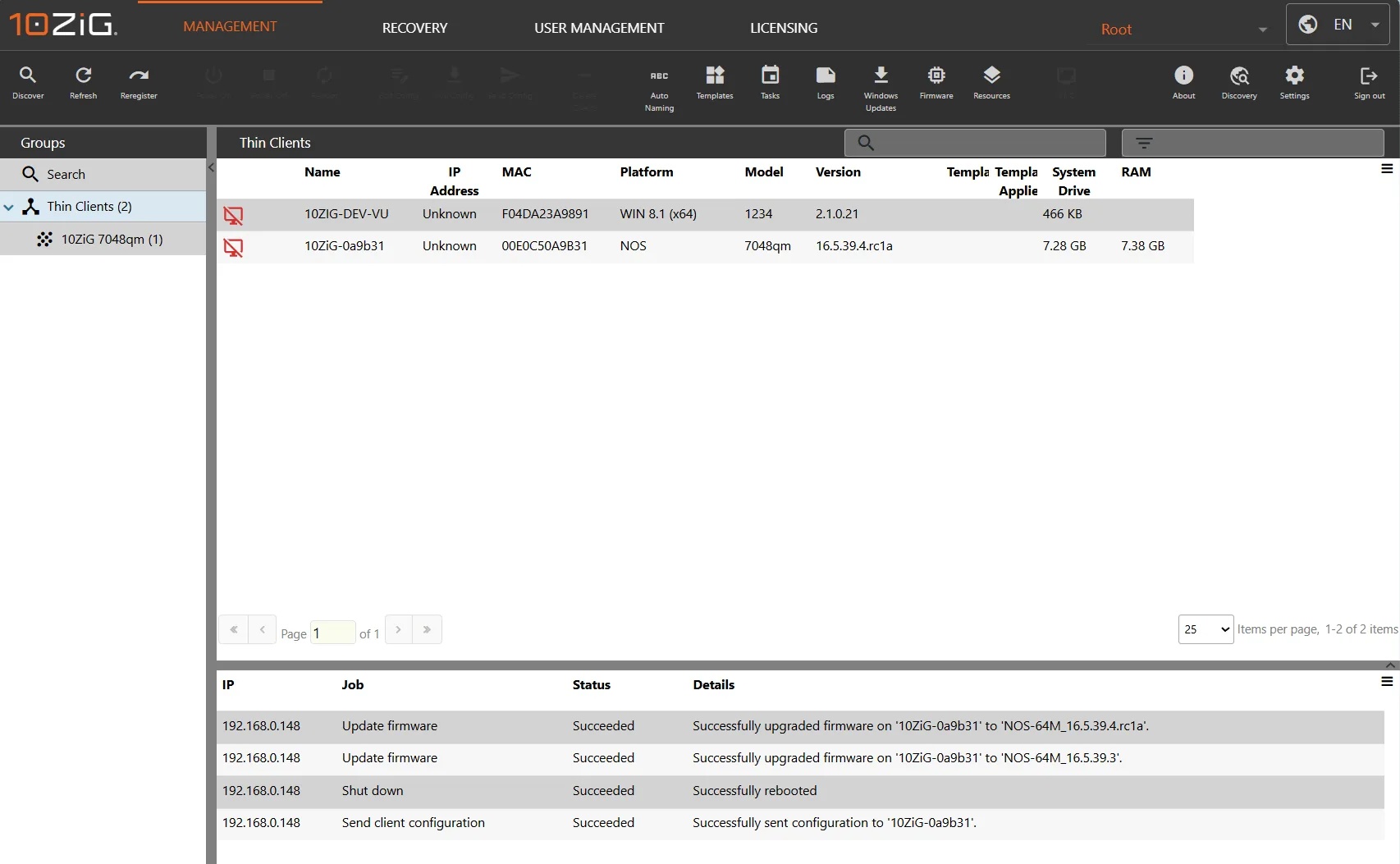
Visit: Using 10ZiG Manager to manage zero and thin clients
How to Fix End of Support Warning of Windows 365 Provisioning Policy in Intune
In this blog post, Vaishnav K explains how to resolve End of Support warnings in Windows 365 provisioning policies within Microsoft Intune. He highlights that gallery images for Windows 10 22H2 and Windows 11 22H2 were retired on October 14, 2025, meaning policies referencing them can no longer provision new Cloud PCs. The guide shows how to update provisioning policies by selecting supported images, such as Windows 11 Enterprise 25H2 or Windows 11 Enterprise + Microsoft 365 Apps 25H2, to ensure compliance, security, and uninterrupted provisioning.
Visit: How to Fix End of Support Warning of Windows 365 Provisioning Policy in Intune
How to Enhance Windows 365 AI-Enabled Endpoint Management using Copilot in Intune
In this blog post, Vaishnav K describes how Copilot in Microsoft Intune enhances endpoint management for Windows 365 Cloud PCs. It explains that administrators can use natural language prompts to quickly analyze device health, compliance, configuration profiles, and policy conflicts without navigating multiple dashboards. Copilot provides AI-driven recommendations for provisioning, troubleshooting, and optimizing performance and costs. It also integrates with Intune’s analytics and automation, allowing admins to generate scripts, draft compliance policies, and enable proactive endpoint intelligence.
Visit: How to Enhance Windows365 AI-Enabled Endpoint Management using Copilot in Intune