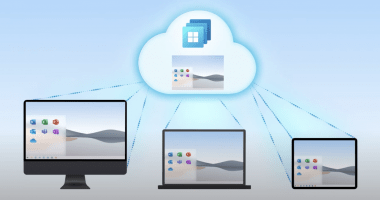

Welcome to the 217th edition of the Windows 365 Community newsletter! This week, we bring you the latest Windows 365 news, free events, and expert tips & tricks from the world of Cloud PC.
Context-based Redirections (Preview)
Context-based redirection for Windows 365 and Azure Virtual Desktop allows organizations to control device redirection features (such as clipboard, drive, printer, and USB) based on user identity, device compliance state and session conditions. It uses Microsoft Entra Conditional Access authentication contexts to ensure sensitive data is only accessible when sessions meet defined security requirements.
Administrators configure this capability by creating Conditional Access policies, setting device compliance rules, and mapping authentication contexts to host pool RDP properties.
The feature enables dynamic enforcement, allowing approved redirections on trusted devices while restricting them on noncompliant or BYOD endpoints.
Supported across multiple platforms, it enhances security and flexibility by applying granular redirection controls consistently across Azure Virtual Desktop environments.
Read the full article: Context-based Redirections (Preview)
Made for developers and agents, Windows 365 at Build 2026
At Microsoft Build 2026, Windows 365 is positioned as a key platform for developers and AI agents, extending beyond traditional virtual desktops into a flexible cloud environment for building and running intelligent workflows.
A major highlight is Windows 365 for Agents, which provides dedicated Cloud PCs where AI agents can securely operate, interact with applications, and execute tasks similarly to human users.
Microsoft also introduced dev-ready image for Cloud PCs preconfigured with essential tools like VS Code, Git, and Python, enabling developers to start coding immediately without setup overhead as a replacement for Microsoft Dev Box.
Performance enhancements include more powerful configurations such as 32-vCPU systems and GPU support for Windows 365 Flex shared Cloud PCs to support graphic-intensive or performance-heavy workloads.
Read the full arcticle: Bhavya Chopra – Made for developers and agents, Windows 365 at Build 2026
Relative Cloud PC performance for running local language models
The article compares how different Windows 365 Cloud PC sizes perform when running local language models, helping organizations choose the right configuration for AI workloads. It emphasizes real-world usability rather than raw benchmarks, focusing on what types of models (compact, mid-size, or large) can run effectively and whether GPU acceleration is available.
Smaller Cloud PCs (4–8 vCPU) offer limited or entry-level support for lightweight text models, while larger CPU configurations enable broader model coverage but may still lack interactive performance for the biggest models.
GPU-enabled Cloud PCs significantly enhance capabilities, unlocking faster inference, support for larger models, and features like image generation.
Read the full arcticle: Relative Cloud PC performance for running local languange models
Enhanced Windows 365 Flex Shared Cloud PC naming template
Admins can now configure more flexible naming templates for Windows 365 Flex (shared mode) Cloud PCs. This update aligns Windows 365 Flex Shared with Enterprise and Windows 365 Flex Dedicated experiences, allowing device names between 5 and 15 characters, with a prefix of up to 10 characters and a random alphanumeric string of at least 5 characters. Hyphen placement is now fully flexible within the prefix, providing greater control over naming conventions. These enhancements help organizations apply business unit–based naming standards and maintain compatibility with downstream systems and tooling, simplifying transitions from physical PCs to Cloud PCs.
Read the full article: Enhanced Windows 365 Flex Shared Cloud PC naming template
How to create filters in Microsoft Intune for Windows 365 Cloud PCs
Join Vaishnav K as he shows how to create filters in Microsoft Intune for Cloud PCs.
Read the full post: Vaishnav K – How to create filter fo all Windows 365 Cloud PCs with a specific configuration using Intune
Introducing the Windows 11 dev-optimized image for Cloud PCs
In Vaishnav’s second post, he elaborates on the recently introduced developer image that is optimized for Windows 365 Cloud PCs. He shows to to deploy Cloud PCs using this image and discusses the various customizations.
Read the full post: Vaishnav K – How to create Windows 11 Enterprise Developer configuration Windows 365 Cloud PC using Intune
That’s all for this week’s roundup! We love seeing how this community keeps pushing the boundaries of what’s possible with Windows 365. Jump into the forums, share your latest learnings, and let’s keep the momentum going!
See you next Friday!