
Welcome to the two-hundred-third (203rd) edition of the Windows 365 Community newsletter! This week, we bring you the latest Windows 365 news, free events, and expert tips & tricks from the world of Cloud PC.
Conquer Windows 365 + Intune: Defeat Timeout Terrors & Time Zone Twists!
In this video, Travis Roberts demonstrates how to optimize Windows 365 Link devices by creating an Intune device filter, enabling automatic time‑zone detection, and adjusting screen timeout settings to improve accuracy, security, and user experience.
Exploring AI features on Windows 11 Copilot+ PCs and Windows 365 AI-enabled Cloud PCs
In this blog post, Dominiek Verham breaks down the growing set of AI capabilities in Windows 11. He compares what users can access on Copilot+ PCs versus Windows 365 AI‑enabled Cloud PCs. Dominiek outlines the hardware requirements for Copilot+ devices and explains how Microsoft brings AI features to Cloud PCs using Windows Cloud Hybrid AI Offload. The article also covers the organizational configurations needed to unlock these capabilities.
From there, he walks through 18 AI features available across Windows, Paint, and Photos—describing what each feature does and which platforms support it. He wraps up by highlighting how these tools can boost productivity and spark creativity for users working across modern Windows environments.
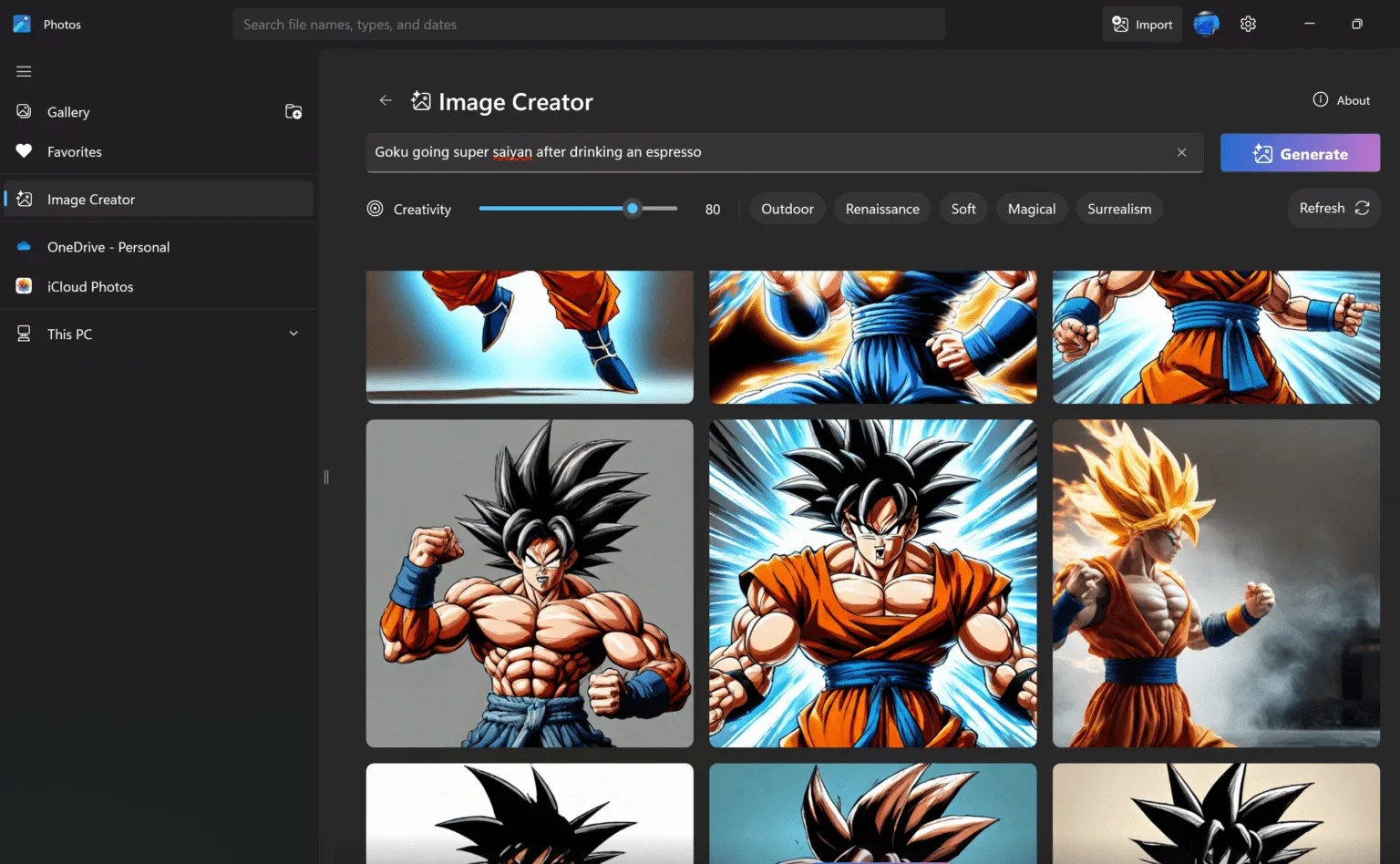
Visit: Exploring AI features on Windows 11 Copilot+ PCs and Windows 365 AI-enabled Cloud PCs
Modern Endpoint Investments to Prioritise in 2026
In this blog post, Chinwike Onyia highlights the top investments that small and mid‑sized enterprises (SMEs) should prioritise in 2026. He focuses on three main areas: adopting Windows 365 and Azure Virtual Desktop to increase agility, lower hardware costs, and enhance security; expanding Microsoft Intune as the central platform for managing all devices, supported by new advanced features now included in Microsoft 365; and preparing for the future by embracing AI‑driven endpoint capabilities, automation, and modern Windows 11 hardware.
Chinwike argues that these investments deliver strong return on investment (ROI), improve productivity, and help organisations build a more secure, resilient, and future‑ready IT environment.

Visit: Modern Endpoint Investments to Prioritise in 2026
Your Desktop Images Are Outdated Right Now—Here’s Why
In this video, Dean Cefola explains why desktop images quickly become outdated and how traditional imaging processes—full of manual steps, scripts, and tribal knowledge—fall apart in fast‑moving cloud environments. It then shows how Nerdio Manager for Enterprise streamlines the entire lifecycle: building images, applying customizations, running tests, capturing versions, and deploying them to both Azure Virtual Desktop and Windows 365 through a single unified workflow. The core message is that automation replaces chaos, enabling admins to achieve predictable, repeatable image management.