
Welcome to the two-hundred-fourth (204th) edition of the Windows 365 Community newsletter! This week, we bring you the latest Windows 365 news, free events, and expert tips & tricks from the world of Cloud PC.
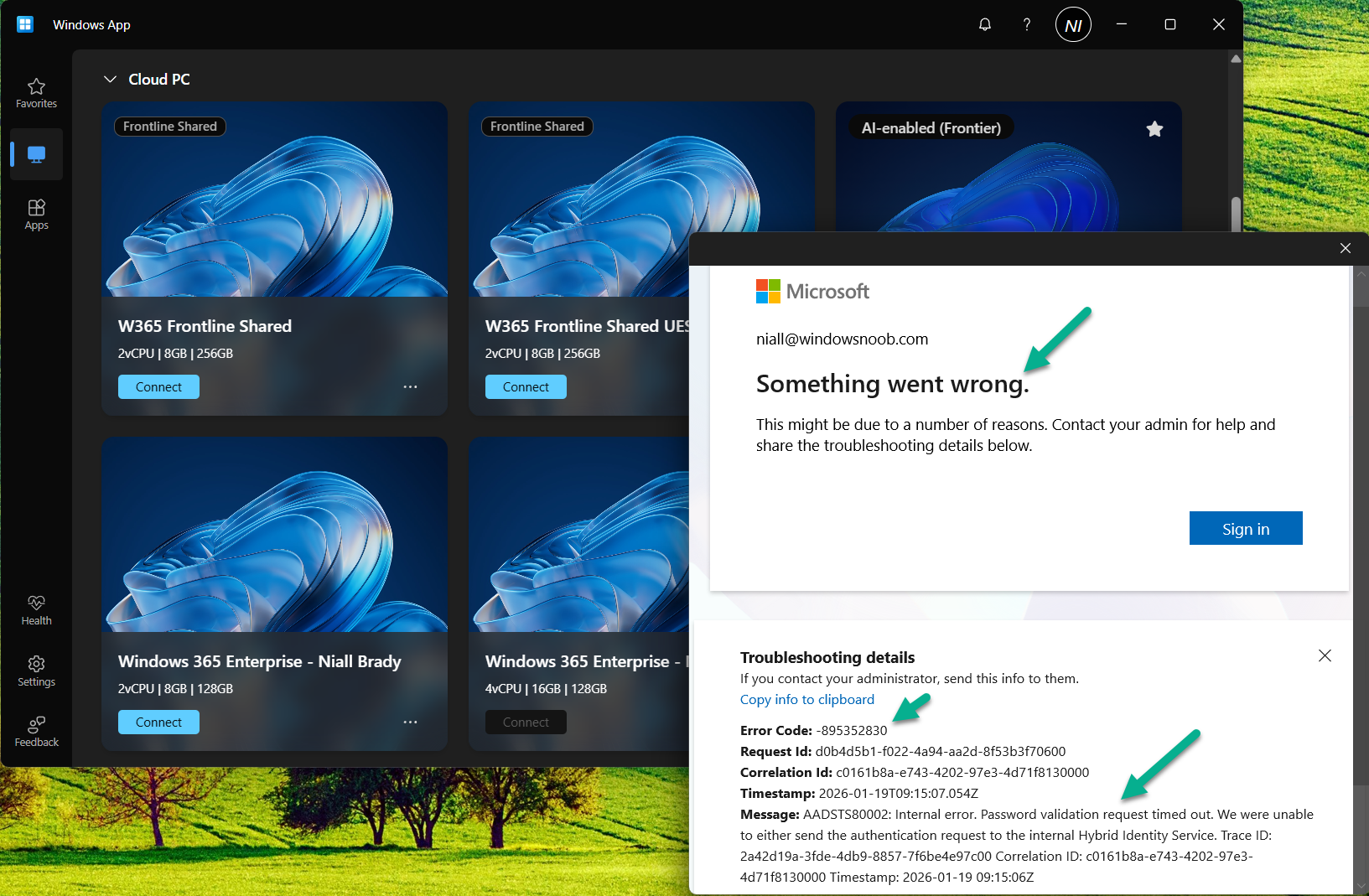
January 2026 Cumulative Update breaks Windows App
In this blog post, Niall C. Brady explains how the January 2026 Cumulative Update (KB5074109) breaks authentication in the Windows App. He explains that the issue stems from a Microsoft Entra token/permission failure introduced by the update. Niall confirms the problem across multiple Windows versions and outlines the current workaround: manually deploying the Out‑of‑Band fix KB5077744 via Intune as a Win32 app. After installing the patch and rebooting, Windows App connectivity is restored.
Visit: January 2026 Cumulative Update breaks Windows App
Stream apps from Windows 365
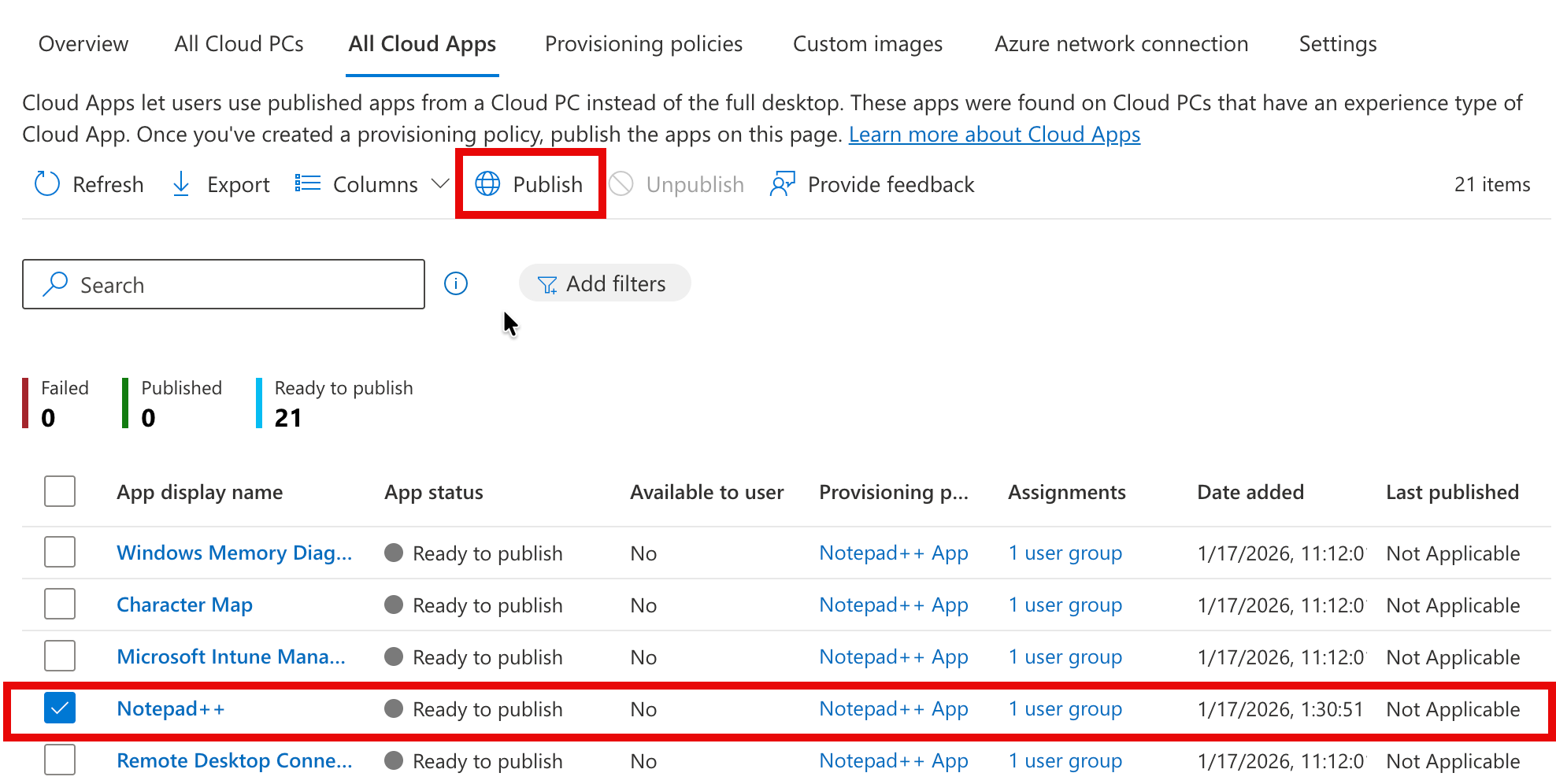
In this blog post, Ralph Eckhard explains how to set up Windows 365 Cloud Apps, which let you stream individual applications instead of a full desktop experience. He walks through prerequisites, licensing, images, Intune‑managed apps, creating the required Entra ID groups, configuring Device Preparation Policies, and building a Frontline provisioning policy. He then shows how to publish apps and describes the simple end‑user experience. The key message is that Cloud Apps reduce management overhead, cut costs through concurrent‑session licensing, and make Windows‑only apps accessible across platforms.
Visit: Stream apps from Windows 365
How to Configure AI-Enabled Features for Windows 365 Cloud PCs
In this blog post, Vaishnav K explains how to enable AI‑powered Frontier features on Windows 365 Cloud PCs using Intune. He outlines the required prerequisites, including supported Windows versions, licensing, and Insider enrollment. He then walks through creating a Cloud PC configuration policy in Intune to activate AI features and describes how users can verify that AI capabilities are enabled on their Cloud PCs.
Visit: How to Configure AI-Enabled Features for Windows 365 Cloud PCs