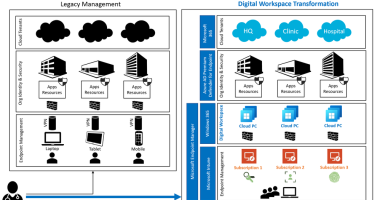

Welcome to the 213th edition of the Windows 365 Community newsletter! This week, we bring you the latest Windows 365 news, free events, and expert tips & tricks from the world of Cloud PC.
Securing the DaaS environment: protecting the identity
In a recent cyber attack an attacker gained access to an account with elevate privileges and allegedly used it to send a wipe command to thousands of devices. That case got Dominiek Verham thinking on methods that IT admins can use to protect against these types of attacks. He released the first of two posts where he covers Passkeys, Conditional Access (with passkeys and token protection), RBAC and custom roles and Just-in-Time access with Privileged Identity Management.

Read the full post here: Dominiek Verham – Securing the DaaS platform: protecting the identities
Public preview of redundant TCP support for RDP Multipath for Azure Virtual Desktop
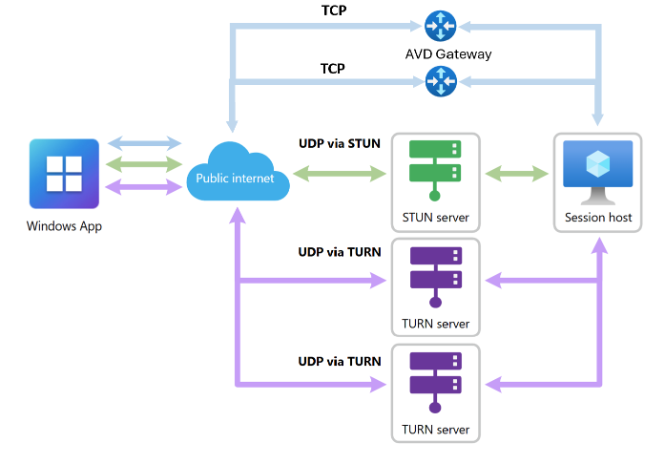
Microsoft announced the public preview of redundant TCP support for RDP Multipath for Azure Virtual Desktop. This is part of Microsoft’s goal to improve connection resiliency across a broader set of network conditions. The feature builds upon the existing RDP Multipath capability that continuously evaluates multiple network paths and dynamically switches to the most reliable path at runtime.
For public preview, you can test the feature by tagging your host pool to the validation ring. By default, this feature is enabled for everyone in the validation pool, providing seamless integration and enhanced connectivity without requiring any changes from IT departments or end users. Redundant TCP transport paths are currently supported only on Windows devices using Windows App on Windows client, version 2.0.1069.0 or later.
Read the full announcement here: Announcing public preview of redundant TCP support for RDP Multipath for Azure Virtual Desktop
Imprivata Windows 365 Cloud PC VDI support on Windows
There is some big news coming from Imprivata! Imprivata is used in healthcare and manufacturing enabling users to sign into their virtual desktop by simply badging in. Until now this was only supported on local VDI solutions and Windows 365 / AVD was not officially supported. With the release of OneSign 26.1 Imprivata now supports Windows 365 Cloud PCs!
Imprivata Virtual Desktop Access now supports access to Windows 365 Cloud PCs on Windows devices. Supporting Windows 365 Cloud PCs lets you move workloads to the cloud, reducing reliance on managing complex on-premises infrastructure, while still delivering secure end user access.

Read the announcement here: What’s New in Imprivata Enterprise Access Management 26.1
Windows 365 Frontline in shared mode expands to New Zealand North, Mexico Central, and Europe
Windows 365 Frontline licenses can be used in two modes. Dedicated mode gives access to a full desktop but it differs compared to Enterprise on the license. Where Enterprise is on a per user/per month basis, Frontline in dedicated mode enables to license based on concurrency.
Frontline in shared mode is a different animal. This is actually the first Cloud PC that can be used by different users as the assignment is done with an Entra group. But you should know, this is not multi session so only one user can sign in at any given time.
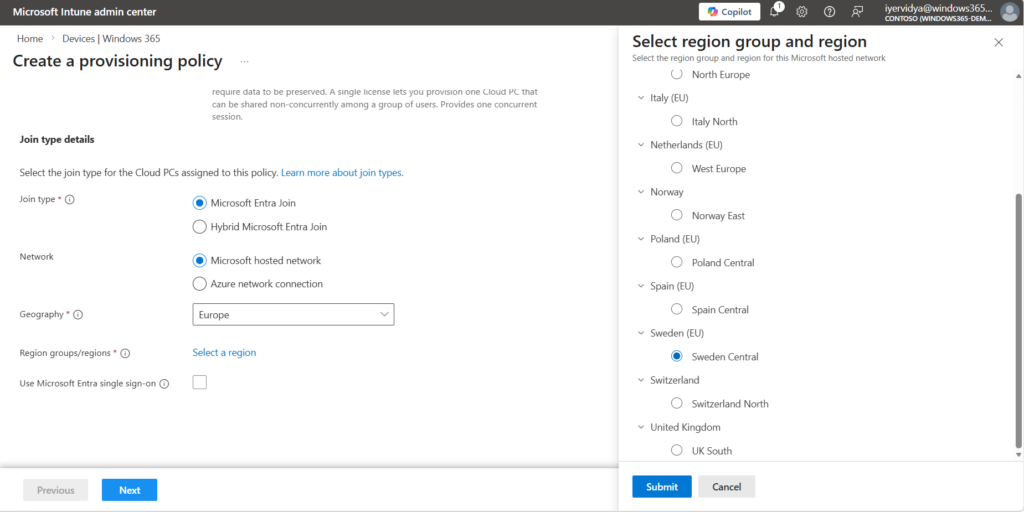
In this announcement Microsoft has expanded the Frontline in shared mode to additional regions: New Zealand North, Mexico Central, Poland Central and Sweden Central.
Read the full announcement here: Windows 365 Frontline in shared mode expands to New Zealand North, Mexico Central, and Europe
How to Create Remote Connection Experience Settings for Windows 365 Cloud PCs
Join Vaishnav K. in his latest post where he shows how to enable Windows Cloud I/O protection using Microsoft Intune. By enabling the Windows Cloud I/O Protection, you ensure that local keystrokes are sent encrypted to the Cloud PC further improving security by making sure that malware cannot read these keystrokes. But beware: if you enable this setting, only local devices that have the correct .MSI installed can connect to those Cloud PCs. Devices that do not have this .MSI installed cannot connect to these Cloud PCs.
Read the full post here: Vaishnav K – How to Create Remote Connection Experience Settings for Windows 365 Cloud PCs
That’s all for this week’s roundup! We love seeing how this community keeps pushing the boundaries of what’s possible with Windows 365. Jump into the forums, share your latest learnings, and let’s keep the momentum going!
See you next Friday!