
Welcome to the 210th edition of the Windows 365 Community newsletter! This week, we bring you the latest Windows 365 news, free events, and expert tips & tricks from the world of Cloud PC.
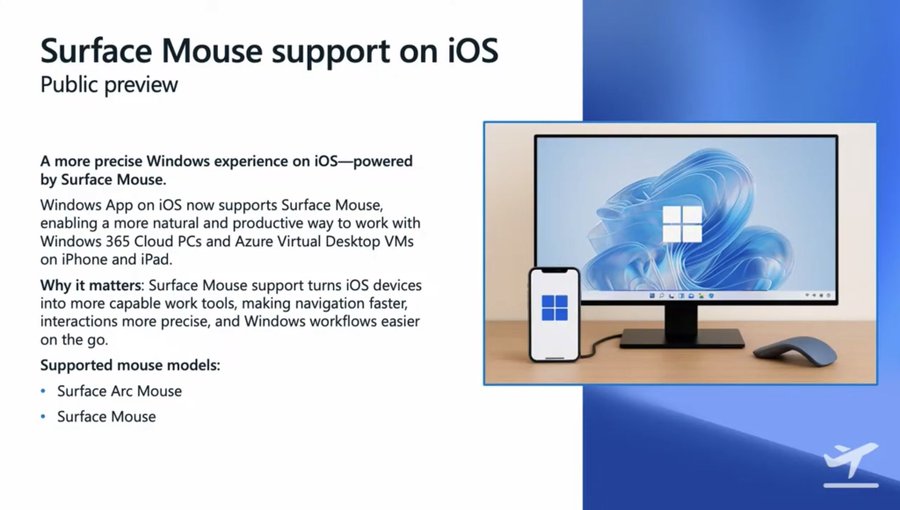
Use Surface mouse with the Windows App on iOS (Preview)
The Windows App on iOS now supports Surface mouse, enabling more precise pointer control and improved productivity when accessing Windows from an iPhone. This feature is available in preview for both Windows 365 and Azure Virtual Desktop (AVD).
Visit: Use Surface mouse with the Windows App on iOS (Preview)
How to Create Screen Capture App Protection Policy for Windows 365 App using Intune
In this blog post, Vaishnav K explains how Intune enables screen‑capture protection for the Windows 365 App on mobile devices. He describes how administrators create a MAM policy that blocks screenshots and recordings to protect Cloud PC data. He outlines each Intune configuration step and highlights the supported platforms for the Windows App. He shows how to assign the policy to user groups and monitor deployment status in the Intune portal.
Visit: How to Create Screen Capture App Protection Policy for Windows 365 App using Intune
Expanding Windows 365 Frontline with Cloud Apps and User Experience Sync
In this blog post, Anoop C Nair explains how Windows 365 Frontline expands flexibility with Cloud Apps and user experience sync. He describes how Cloud Apps simplify app delivery by streaming applications directly from the Microsoft Cloud. He highlights how user experience sync preserves settings and app data across shared Cloud PCs. He shows how these features improve consistency, reduce management effort, and support organisations as they move to cloud‑based environments.
Visit: Expanding Windows 365 Frontline with Cloud Apps and User Experience Sync
Easy Method to Deploy Windows App Mob for iOS and iPadOS using Intune
In this blog post, Vaishnav K explains how to deploy the Windows App Mobile to iOS and iPadOS devices using Intune. He shows how administrators add the app from the App Store and assign it to user or device groups. He describes how Intune manages installation, updates, and availability through the Company Portal. He highlights how this deployment method enables secure access to Windows 365, Azure Virtual Desktop (AVD), and Microsoft Dev Box from Apple devices.
Visit: Easy Method to Deploy Windows App Mob for iOS and iPadOS using Intune
How Agent 365 and Windows 365 for Agents Enable Secure Governed Control and Execution for Enterprise AI
In this blog post, Anoop C Nair explains how Agent 365 governs AI agents through enterprise identity and policy controls. He describes how Windows 365 for Agents provides secure Cloud PCs for executing agent tasks. He shows how these Cloud PCs enable agents to work in UI‑driven apps without APIs. He highlights how organisations gain visibility, compliance, and trust as they scale AI‑driven automation.
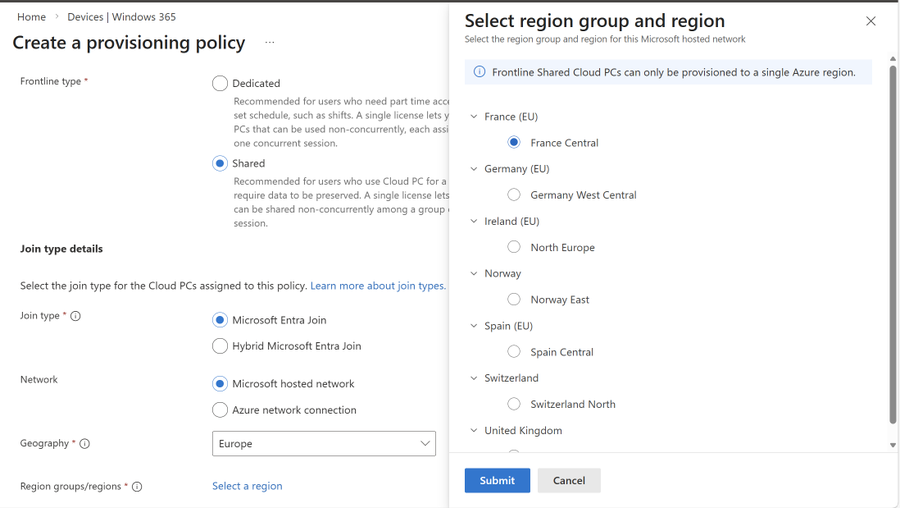
Windows 365 Frontline in shared mode expands to Norway East, France Central and Spain Central
Microsoft has expanded Windows 365 Frontline in shared mode to three additional European regions – Norway East, France Central, and Spain Central – bringing Cloud PCs closer to local users and helping organizations meet data residency and regulatory requirements.
Visit: Windows 365 Frontline in shared mode expands to Norway East, France Central and Spain Central
Microsoft Dev Box and Windows 365 update
Microsoft is shifting its cloud‑based development environment strategy by directing future innovation toward Windows 365 and pausing new customer onboarding for Microsoft Dev Box. Since Dev Box is built on Windows 365, and Windows 365 is gaining more developer‑focused capabilities – including broader VM options and GPU support – Microsoft is consolidating everything under a single Cloud PC platform. Existing Dev Box customers can continue using their environments without disruption, while new developer features will roll out through Windows 365 at no extra cost.