

Welcome to the 223rd edition of the Windows 365 Community newsletter! This week, we bring you the latest Windows 365 news, free events, and expert tips & tricks from the world of Cloud PC.
Windows 365 turns five: Cloud PCs recognized for enabling flexible, trusted workspaces at scale
In this article, Microsoft reflects on five years of Windows 365, highlighting how Cloud PCs have become a secure, flexible workspace used by tens of thousands of organizations worldwide. The article showcases major milestones – such as new offerings like Flex, Reserve, Link, and Windows 365 for Agents – and notes industry recognition from Gartner and IDC for leadership in Desktop as a Service. It also outlines recent innovations for developers, AI agents, security, and Cloud PC management, emphasizing Microsoft’s continued commitment to evolving Windows 365 for both human and agentic workforces at scale.
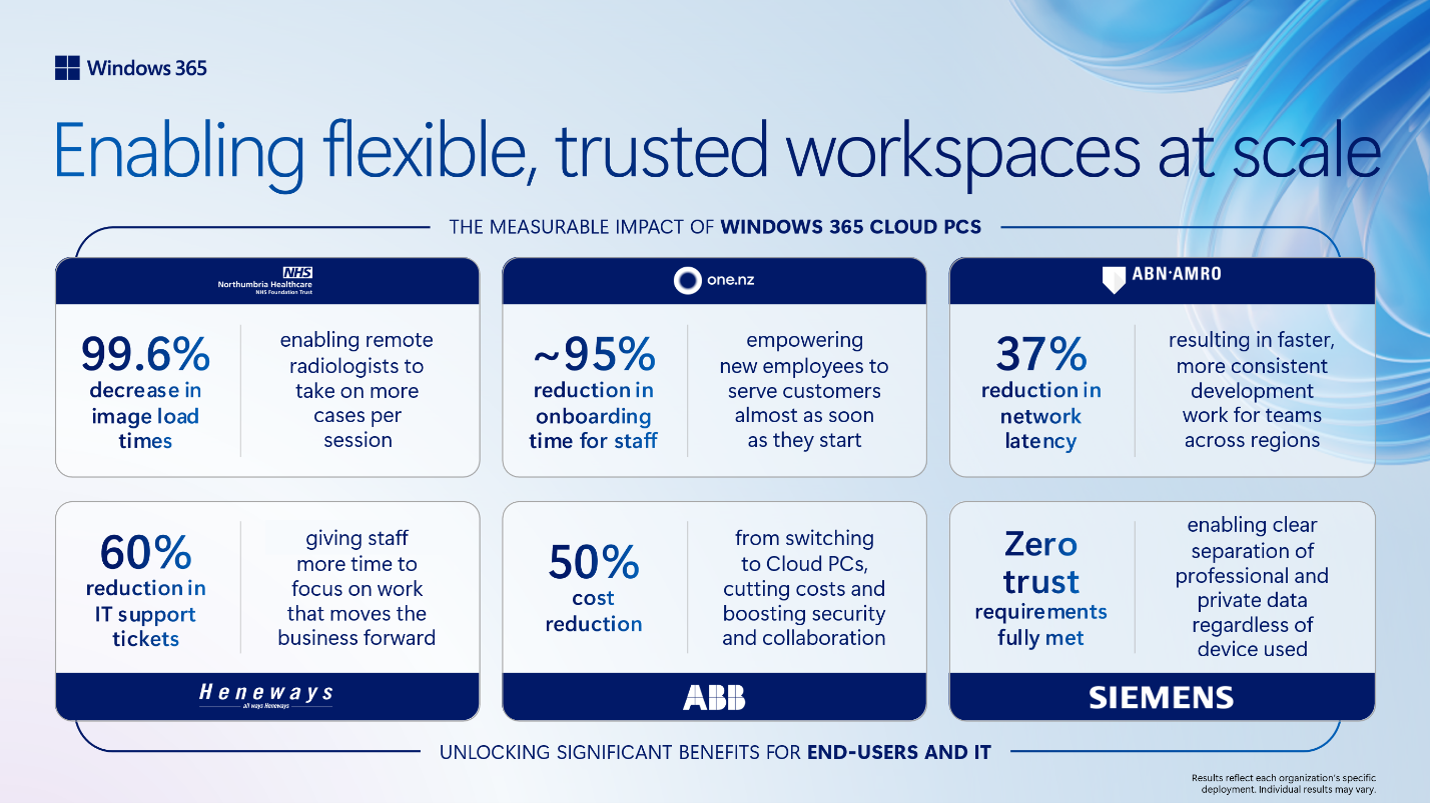
Visit: Windows 365 turns five: Cloud PCs recognized for enabling flexible, trusted workspaces at scale
Final thoughts on Windows 365 Reserve
In this article, Niall C. Brady explains that Windows 365 Reserve Cloud PCs continue counting down their allotted 10‑day usage period even after a disaster has been resolved, unless the Intune admin actively deprovisions them. He highlights that users often forget about their Reserve Cloud PCs once they return to their physical devices, meaning warnings in the Windows app may go unnoticed. Niall stresses that admins must manually deprovision these Cloud PCs to preserve remaining days for future incidents, since failing to do so will exhaust the yearly allowance. He also notes that while self‑service deprovisioning exists, it’s not intuitive for end users, making proactive admin cleanup essential.
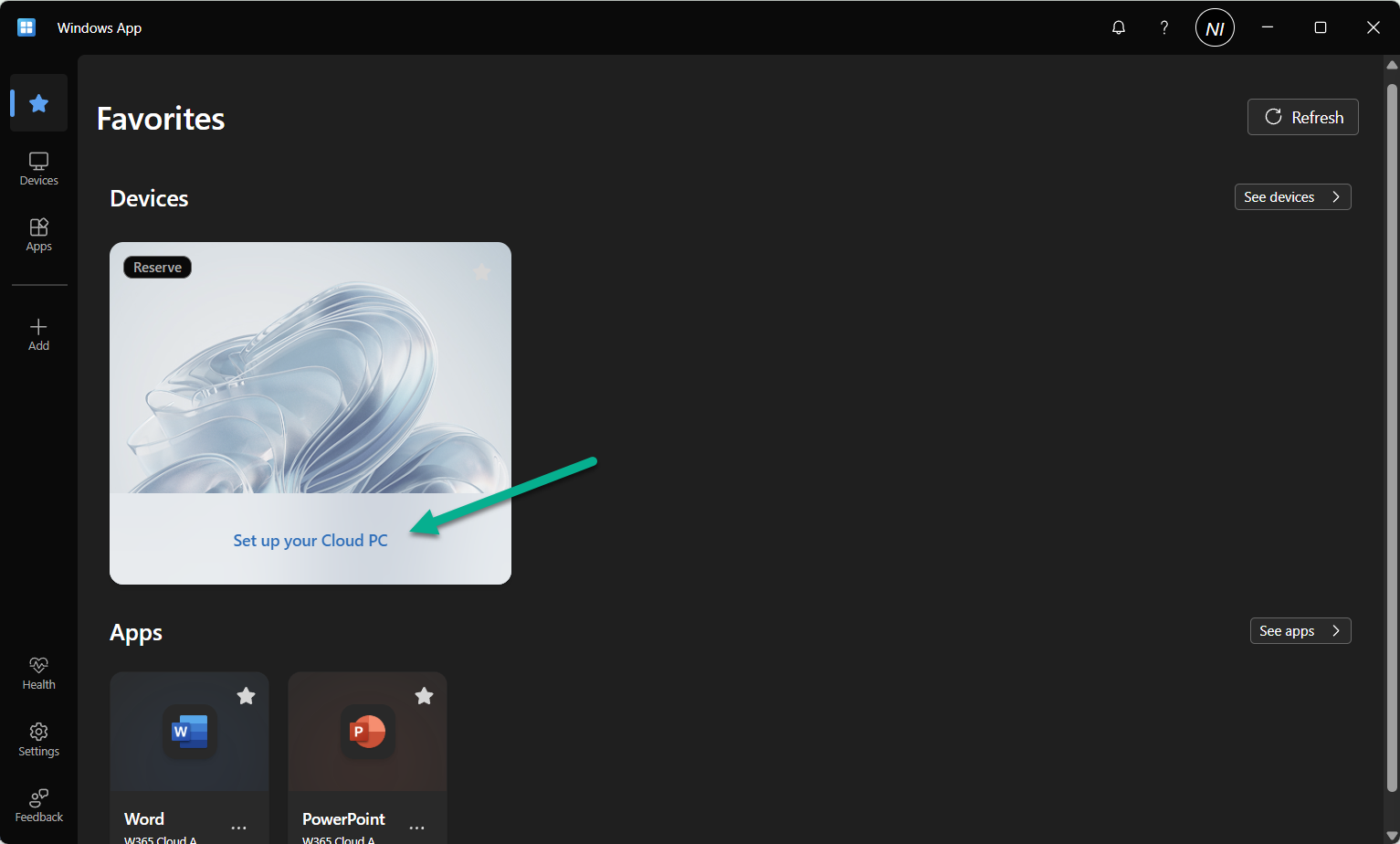
Visit: Final thoughts on Windows 365 Reserve
Windows 365 Is Easy…Until You Need THIS
In this video, Dean Cefola (Azure Academy) explain why Windows 365’s “it just works” promise quickly breaks down once an organization needs custom OS images, private networking, or tightly controlled app deployments. Dean walks through how Nerdio Manager for Enterprise closes that gap by helping you build a custom Windows 365 image, connect Cloud PCs to your own network instead of Microsoft’s hosted one, enforce compliant provisioning policies, and deploy approved apps on demand. The core message is that Windows 365 becomes truly enterprise‑ready only when you take control of the image, the network, and the app lifecycle yourself.
Windows 365 – Placing a Cloud PC Under Review
In this article, Jörgen Nilsson shows how the Windows 365 “Cloud PC under review” feature lets admins capture a forensic snapshot of a Cloud PC and store it safely in Azure for investigation. He outlines the required setup, explains how to trigger a review, and emphasizes preparing this workflow in advance so evidence collection during incidents is fast, consistent, and secure.
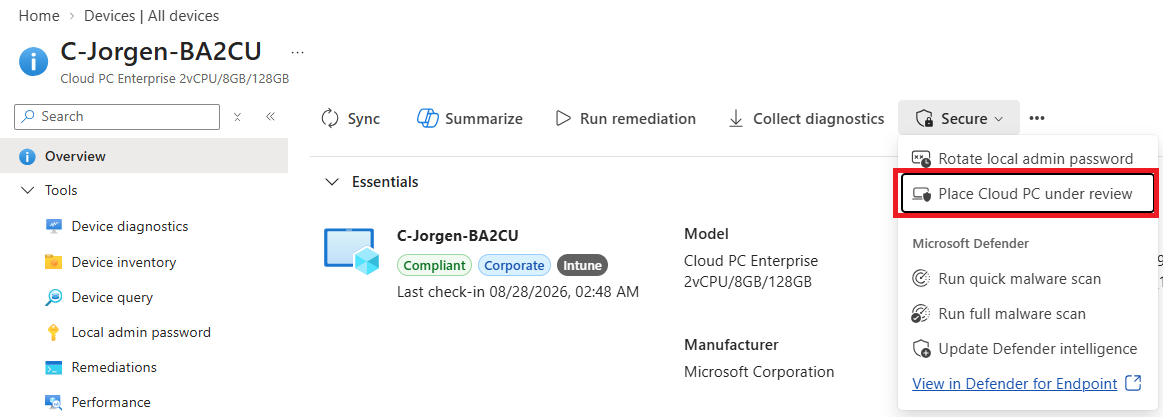
Visit: Windows 365 – Placing a Cloud PC Under Review
Building a Secure Azure Landing Zone for AVD and Windows 365
In this article, Dieter Kempeneers outlines how to build a secure Azure landing zone for AVD and Windows 365 using a hub‑and‑spoke design with Azure Firewall, proper routing, and controlled internet/on‑prem access. The focus is on creating a stable, secure foundation so virtual desktops can connect reliably while keeping traffic governed and compliant.
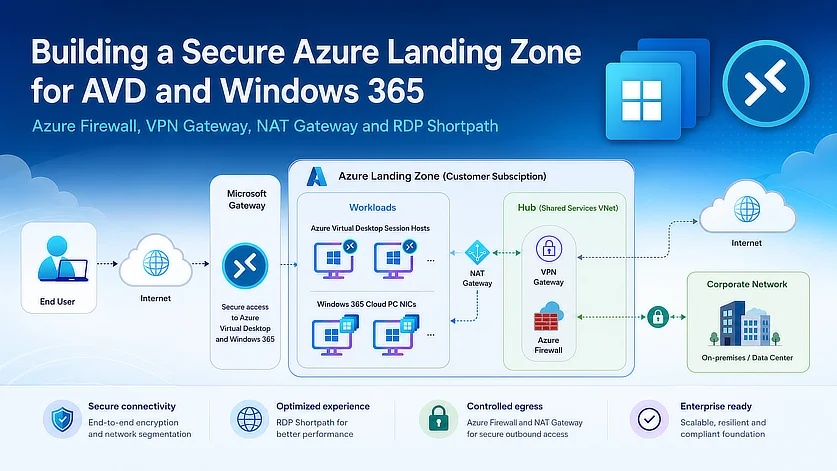
Visit: Building a Secure Azure Landing Zone for AVD and Windows 365
Windows 365 Cloud PC for Developers – Developer Configuration Image + PowerShell Provisioning
In this article, Aresh Sarkari introduces Microsoft’s new Windows 365 Developer Configuration image, a prebuilt Cloud PC image that includes essential developer tools like VS Code, Git, Python, Node.js, WSL, Azure CLI, and more, reducing the setup time normally required for developer workstations. He explains key limitations of the preview image, compares it with custom images, and demonstrates how to create a provisioning policy using Microsoft Graph and PowerShell. The article concludes by showing what’s preinstalled in the image and why it offers a strong middle ground between standard gallery images and fully custom developer builds.
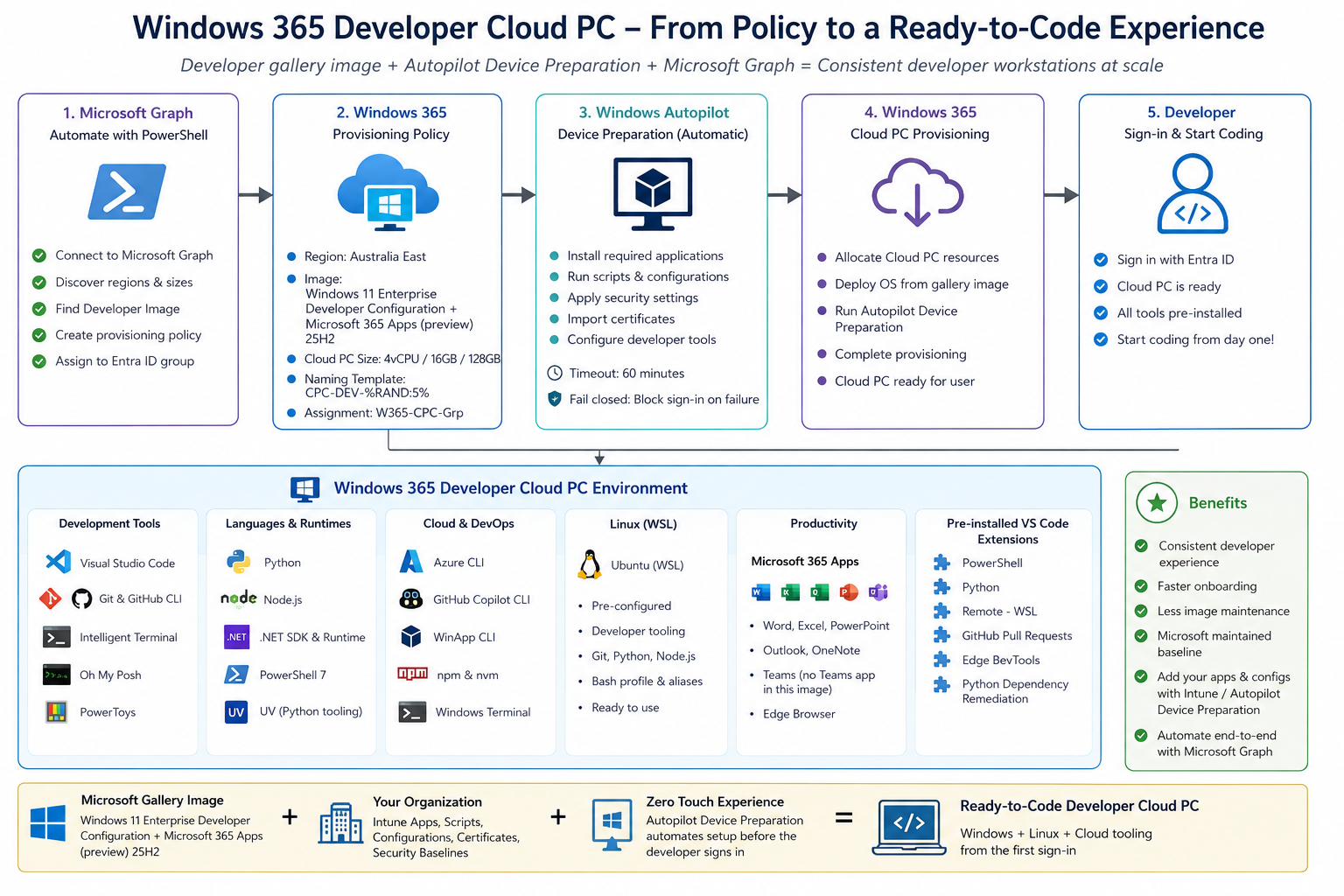
Visit: Windows 365 Cloud PC for Developers – Developer Configuration Image + PowerShell Provisioning